
Security September — Part 2
A Practical AI Risk Checklist for SMBs
In Part 1, we asked whether your AI can be trusted with client data. Now for the harder question: what happens when that data becomes a liability?
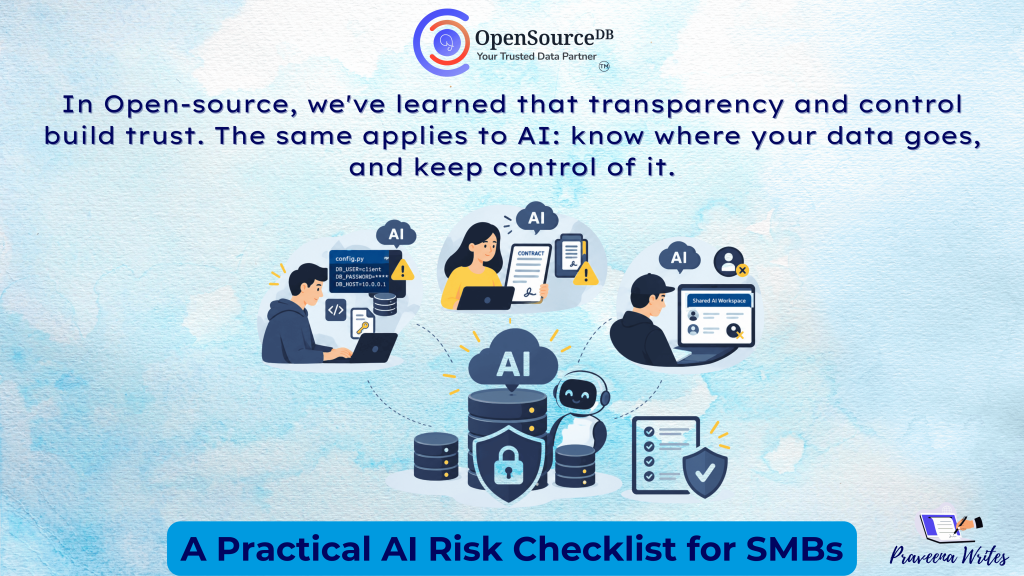
Picture a normal Tuesday. A developer pastes a config file into a personal AI account to debug an error. It contains a client’s database credentials. A project manager uploads a signed contract to get a quick summary, and the NDA prohibits third-party processing. A former contractor still has access to the shared AI workspace.
Nobody meant any harm, and all three are exposures. For a services business, where client data is often the business itself, a single one can mean a breach of contract, a damaged relationship, or regulatory trouble.
“In Open-source, we’ve learned that transparency and control build trust. The same applies to AI: know where your data goes, and keep control of it.
Hari Kiran, Founder and CEO, OpenSource DB
You don’t need a security department to manage this. You need to know what data you have, where it goes, who can touch it, and what happens if it leaks.
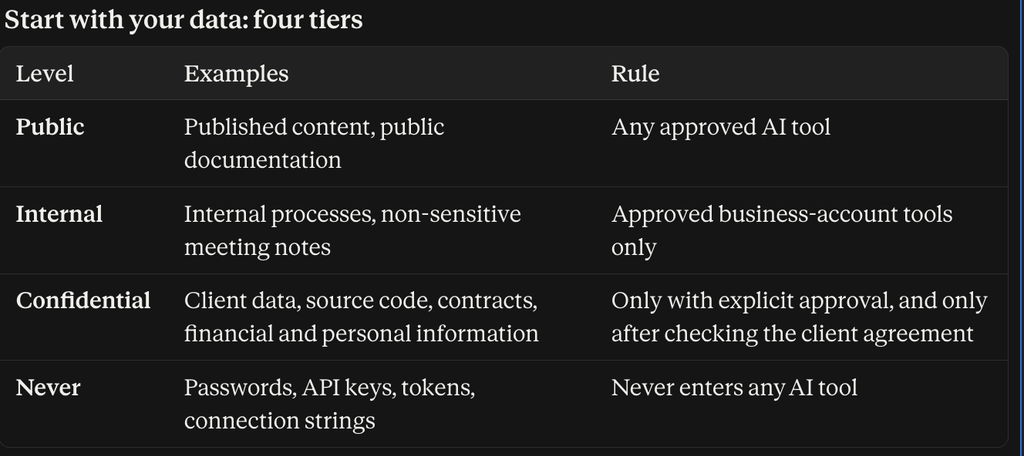
Adapt the categories to your business. What matters is that everyone on the team knows the difference.
Seven questions to ask about every AI workflow
- What data are we sharing? Start with the data, not the tool. A simple prompt can carry confidential material copied from a client email, ticket, or document.
- Do we need to share all of it? If AI only has to summarize a customer conversation, it doesn’t need the customer’s phone number or email. Replace names and IDs with placeholders before prompting. The less sensitive data you share, the less you have to protect.
- Is the tool approved for business use? Keep a one-page list of approved tools: what each is for, what data can go in, and who can use it. Include the AI features hidden inside tools you already use, such as meeting note-takers and browser extensions.
- Who has access? Watch for shared accounts, former employees who still have access, and, most commonly, personal AI accounts used for business data. Use MFA or SSO where available and remove access at offboarding.
- What happens to the data? Review the provider’s current policies on retention, training or model improvement, storage, access, and deletion. Free and business tiers often differ significantly. Don’t assume every tool treats your data the same way.
- What does the client agreement allow? Review the NDA, MSA, SOW, and any data-processing terms before client information enters an AI workflow. Being comfortable with AI internally doesn’t mean your client’s contract permits it. Check applicable data-protection obligations too, such as India’s DPDP Act, with your legal advisor.
- What happens if something goes wrong? Know who to inform, what access to revoke, what was shared, and which clients or systems may be affected. Check whether client contracts set notification timelines. You don’t need a complex incident-response program. You need to know the next step.
And whatever the tool produces, have a person review it before it reaches a client.
When does in-house AI make sense?
Approved cloud tools with business-grade privacy controls are the right starting point for most small teams. But some data is too sensitive to leave your environment, such as regulated records, proprietary code, or clients who prohibit third-party processing.
For those cases, consider self-hosted or open-source models running in your own infrastructure. This gives you control over where data lives, who can access it, and how long it’s kept, though you also take on the work of securing, updating, and monitoring it. A sensible path is to start with approved external tools for Public and Internal data, and evaluate in-house options only for the workloads that truly need them.
The 10-Minute AI Check
Run this today, then repeat every quarter:
☐ What AI tools are our employees using (including personal accounts)?
☐ What business data is being entered?
☐ Are client or personal details being shared?
☐ Do we really need to share all of it?
☐ Is each tool approved for business use?
☐ Who has access, and is MFA on?
☐ Have former employees’ accounts been removed?
☐ Have we reviewed each provider’s current data-handling terms?
☐ Do our client agreements allow this processing?
☐ Do we know what to do if sensitive information is exposed?
If you can’t answer all ten today, that’s fine. That’s your starting point.
Treat your data as an asset. Protect it like a liability.
The goal was never to stop your team from using AI. It’s to make sure AI adoption doesn’t quietly introduce risks your business isn’t prepared for. Classify your data, approve your tools, limit access, remove what isn’t needed, read your client agreements, and have a simple plan for when something goes wrong.
That wraps up Security September from OpenSource DB. Want help putting a practical AI usage policy in place, or evaluating self-hosted options for sensitive workloads? [Get in touch with our team.]