
This post dives into what happens under the hood of Aiven PostgreSQL, including synchronous replication design, automated leader election, fencing mechanics, vacuum tuning, and read-replica scale-out strategies. We will break down topology choices for OLTP vs HTAP workloads, show how OSDB baselines WAL throughput and autovacuum parameters before production, and demonstrate cross-region DR with concrete RPO/RTO outcomes. Technical illustrations and sample Terraform code will help architects deploy production-grade Postgres with confidence.
1.Synchronous_replication design:In Aiven for PostgreSQL, synchronous replication is a cluster‑level behavior that you enable/disable via a single service setting.
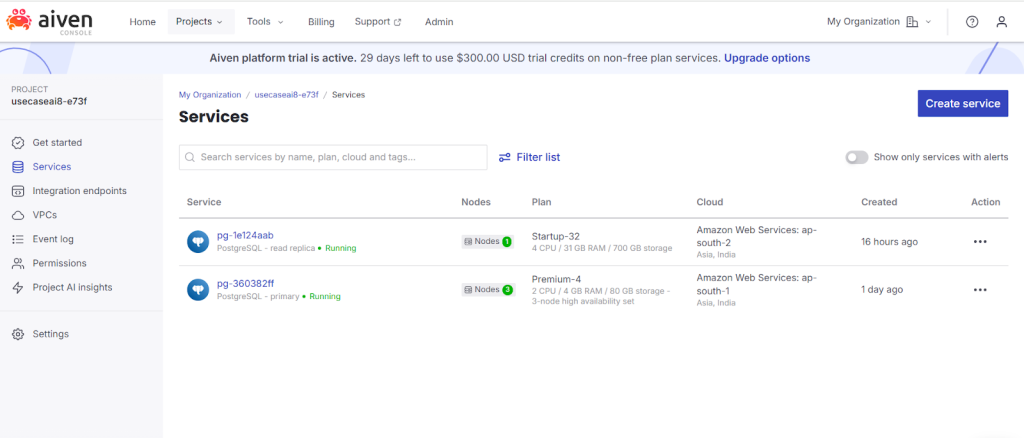
- 1. Configure synchronous replication:Aiven exposes synchronous_replication with off and quorum values.The quorum mechanism uses synchronous_standby_names (ANY N or FIRST N syntax).We are operating an Aiven for PostgreSQL service on the Premium-4 plan in the AWS ap-south-1 region. This plan provides synchronous replication with multiple standby nodes. Aiven exposes a service-level configuration parameter that defines the synchronous replication behavior, specifically how the primary node handles commit operations in relation to its standby nodes. This setting determines whether the primary must wait for acknowledgments from one or more synchronous standbys before completing a transaction commit. As a result, it directly influences data durability, failover guarantees, and transaction latency within the cluster.
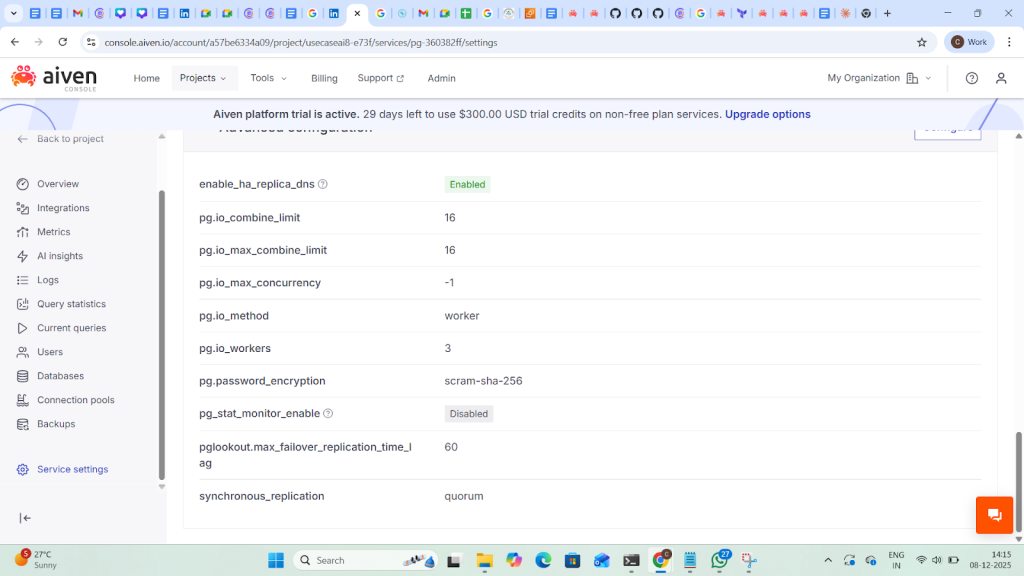
synchronous_replication= quorum
2. Automated leader election (primary promotion)
On Business and Premium plans, Aiven runs PostgreSQL with primary + standby nodes and performs automatic failover:
- If the primary fails, Aiven monitoring plus information from standbys is used to decide a failover; a standby is promoted as the new primary and immediately starts serving clients. If the primary and all standbys fail, new nodes are created; the new primary is restored from the latest backup, then new standbys are added.
- Premium plans with two standbys use PGLookout to pick the standby that is furthest along in replication (least data loss) for failover.
- Aiven configures PGLookout with parameters like max_failover_replication_time_lag=30s to control failover behavior
- When a primary server disconnects unexpectedly, Aiven waits an initial 60 seconds before marking it down and promoting a replica to primary.
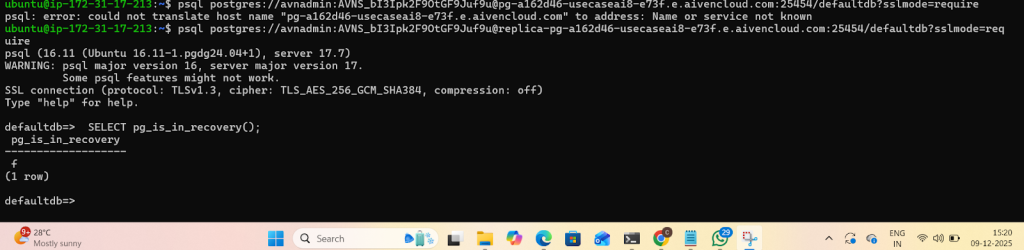
Connect to the terminal to check the status of the instance and/or replication by using the pg_is_in_recovery() function.
3.Fencing mechanics: In order to verify whether Aiven’s high-availability architecture implements a proper fencing mechanism and ensures that only one primary node can exist at any given time, we powered OFF the primary PostgreSQL service pg-360382ff and then turned it ON again. The replica was promoted to primary when the PostgreSQL servicewasturned OFF on the primary
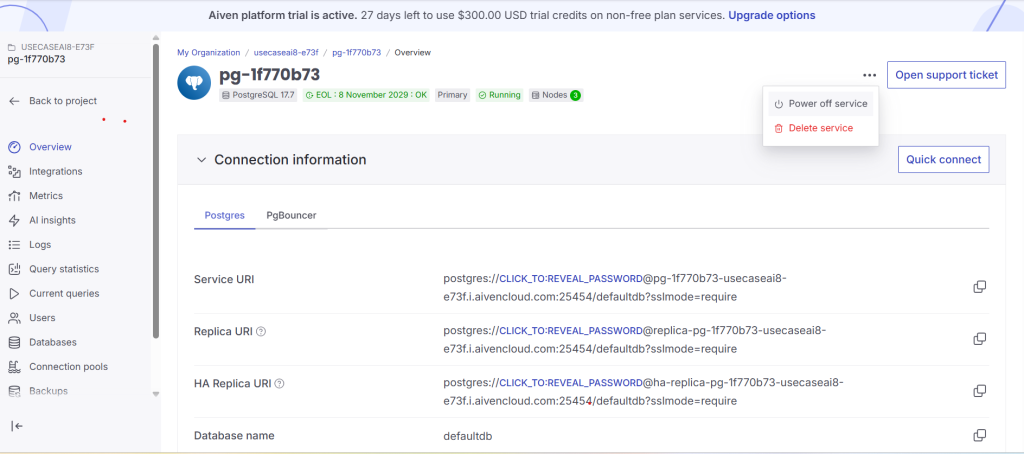

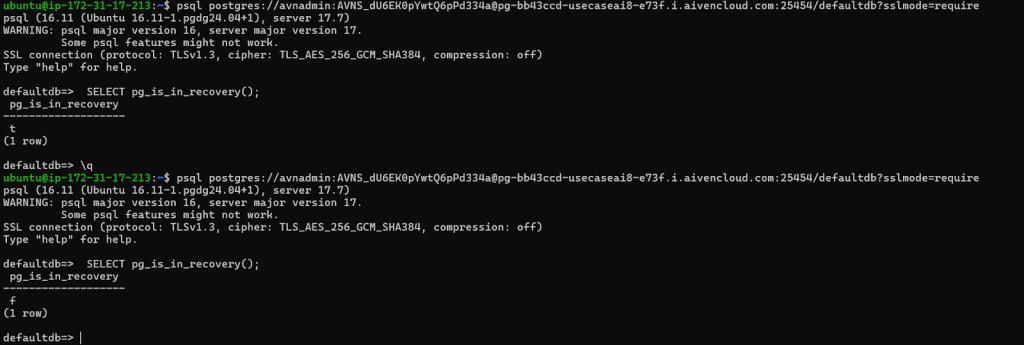
Observe that the read replica has become primary after failover; and the primary became a replica.
4.Vaccum tuning in Aiven for PostgreSQL
Aiven exposes PostgreSQL autovacuum and related settings as advanced parameters (Console/API).
| Parameter | Range | Usage |
| pg.autovacuum_freeze_max_age | 200,000,000–1,500,000,000 | Maximum age (in transactions) that a table’s pg_class.relfrozenxid can reach before VACUUM is forced to prevent XID wraparound; change causes service restart |
pg.autovacuum_max_workers | 1–20 | Maximum number of autovacuum worker processes (excluding the launcher); change causes service restart. |
| pg.autvaccum_naptime | 10-30 SEC | autovacuum runs on any given database |
| pg.autovacuum_vacuum_threshold | 0–2,147,483,647 | Base number of updated or deleted tuples required to trigger an autovacuum VACUUM on a table. |
| pg.autovacuum_analyze_threshold | 0–2,147,483,647 | Base number of inserted, updated, or deleted tuples required to trigger an autovacuum ANALYZE on a table |
| pg.autovacuum_vacuum_scale_factor | 0-1 | Fraction of table size added to autovacuum_analyze_threshold when deciding whether to trigger ANALYZE |
| pg.autovacuum_vacuum_cost_delay | -1-100 | Cost delay (ms) for automatic VACUUM; -1 means “use vacuum_cost_delay |
| pg.autovacuum_vacuum_cost_limit | -1-1000 | Cost limit for automatic VACUUM; -1 means “use vacuum_cost_limit” |
5.WAL parameters :
- pg.wal_writer_delay – WAL flush interval in milliseconds (default 200 ms, range 10–200). Lower values increase WAL flush frequency (potentially more WAL I/O / throughput but higher overhead).
- pg.wal_sender_timeout – Timeout in ms for terminating inactive replication connections; 0 disables the timeout.
- Backups / WAL archiving – WAL files are copied every 5 minutes (or when a new file is generated) as part of PITR backups, using pghoard. This defines a minimum WAL shipping frequency to backup storage.
- pg.wal_writer_delay – WAL flush interval in ms, 10–200 (default 200).
- pg.wal_sender_timeout – Timeout for inactive replication connections, in ms; 0 disables.
- pg.max_wal_senders – Max WAL senders, 20–256; restart required.
- pg.max_replication_slots, pg.max_slot_wal_keep_size – replication slot capacity and WAL retention; restart for max_replication_slots.
You can lower wal_writer_delay or increase sender/slot limits to support higher replication/WAL traffic,
6.Read‑replica scale‑out strategies in Aiven for PostgreSQL
Aiven offers two main approaches to scaling out reads:
1. Built‑in standbys (Business & Premium plans):
- Business/Premium plans include standby nodes for reads and Separate read-replica services for geo-distribution
- These standbys reduce load on the primary by offloading reads.
- They participate in automatic failover; the same service URI is kept, but points to the new primary after promotion.
- This gives limited read scale‑out (1–2 standbys, depending on plan) tightly coupled with HA.
2. Dedicated read‑only replica services
- For broader or geo‑distributed read scale‑out, you can create separate read‑only replica services:
- Replicas can be in different regions or cloud providers.
- Each read‑replica service exposes its own Replica URI; clients use that for read‑only connections.
- Replication is asynchronous; a small lag is expected (typically <1 second).
- You can check whether a node is primary or replica with SELECT * FROM pg_is_in_recovery(); (TRUE = replica).
7. Cross‑region DR (CRDR) :
CRDR uses a primary plus recovery service in another region, integrated via a disaster_recovery service integration.
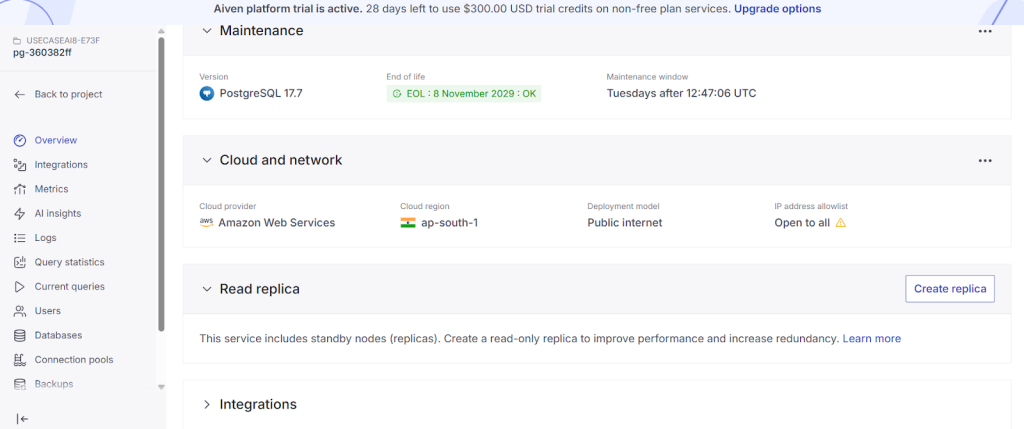
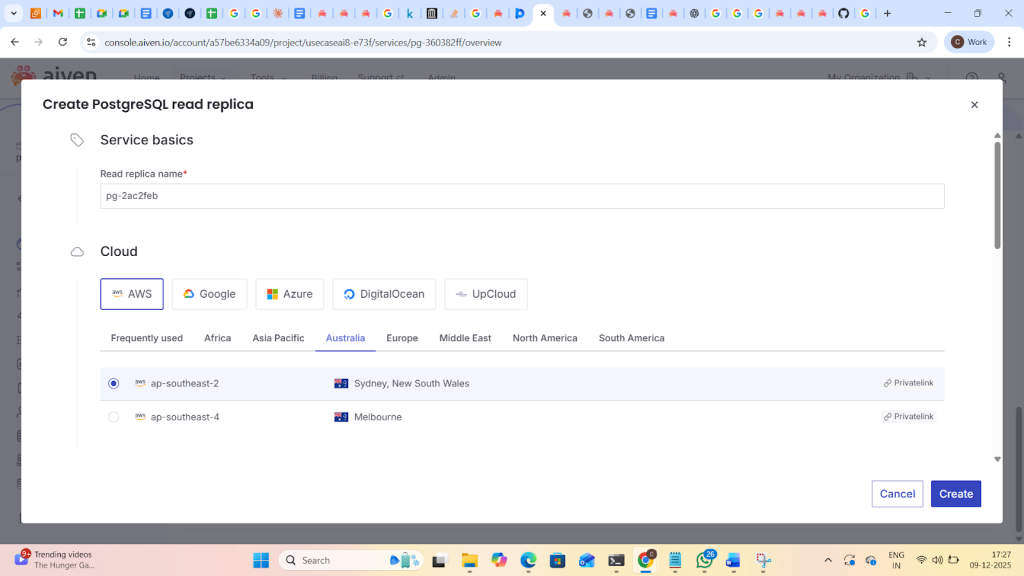
Create read replica in another region.
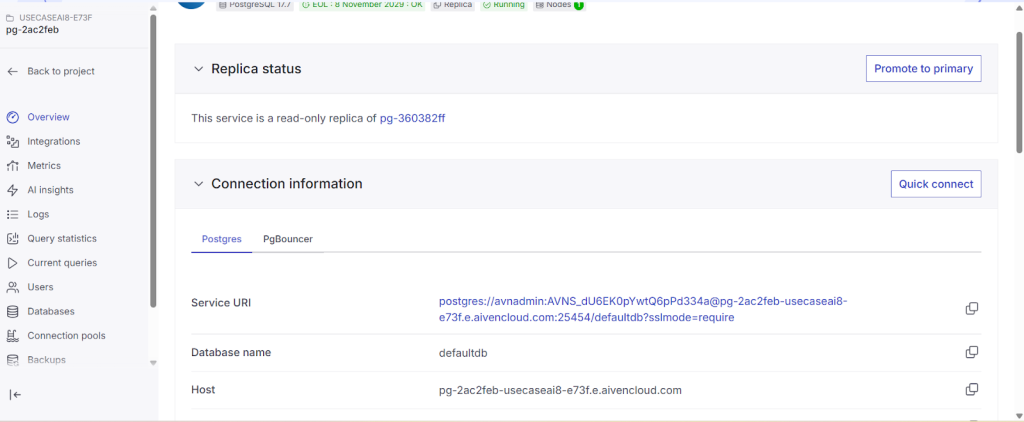
Replica status
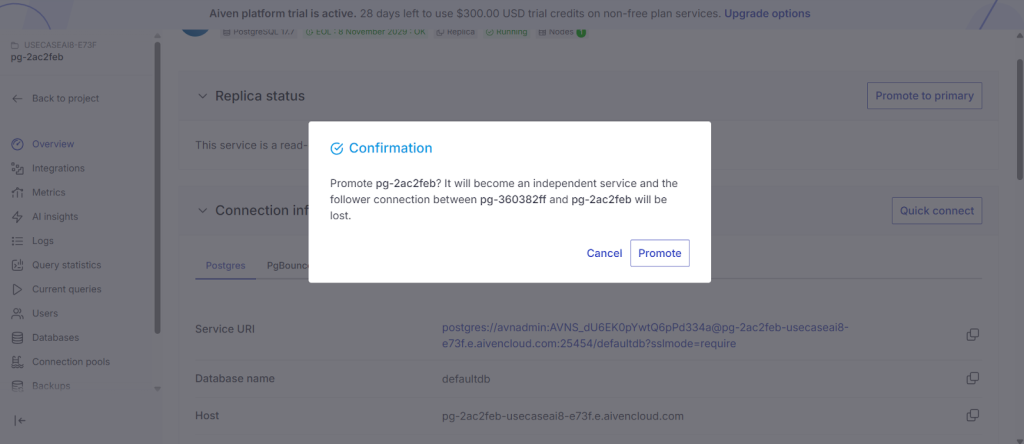
After clicking “Promote to Primary”, the read replica becomes a new independent primary node in the region and cloud you selected in the Aiven console.
8.RPO/RTO will depend on:replication lag between the primary and recovery service, and how quickly you initiate and complete the failover/switchover operation.The below table shows as example Values for RPO/RTO.
| Configuration | Network Latency | Typical Rpo | Worst Rpo |
| Remote read replica (same continent) | 20-50ms | 1-5 sec | 30sec |
| Remote read replica (cross-continent) | 100-200ms | 5-30sec | 2min |
| Service fork | N/A | 5-1 MIN | 1HR |
9.TerraformDeployment:
Terraform :The Aiven Platform uses organizations, organizational units, and projects to organize services. This example shows you how to use the Aiven Provider for Terraform to create an organization with two organizational units, and add projects to those units.
Steps:sign up aiven
Install terraform: sudo apt update
Install Required Dependencies.
sudo apt install software-properties-common gnupg2 -y
Add HashiCorp GPG Key.
Code
curl -fsSL https://apt.releases.hashicorp.com/gpg | sudo apt-key add –
Add HashiCorp Repository.
Code
sudo apt-add-repository “deb [arch=$(dpkg –print-architecture)] https://apt.releases.hashicorp.com $(lsb_release -cs) main”
Update Package List Again.
Code
sudo apt update
install terraform.
Code
sudo apt install terraform -y
Verify Installation.
Code
terraform version
To create organisations and services in Aiven ..create the following files main.tf and variables.tf and pass the parameter values to Create the terraform.tfvars file and assign values to the variables for the token and the project names.Refer the link for Varible.tf and main.tf files https://aiven.io/docs/tools/terraform
- As per deployment I have added the following values in terraform.tfvars
aiven_token = generated key from aiven
organization_name = “My Organization”
prod_project_name = “prod”
qa_project_name = “qa”
dev_project_name = “dev”
To apply terraform configurations: run terraform init and terraform apply.
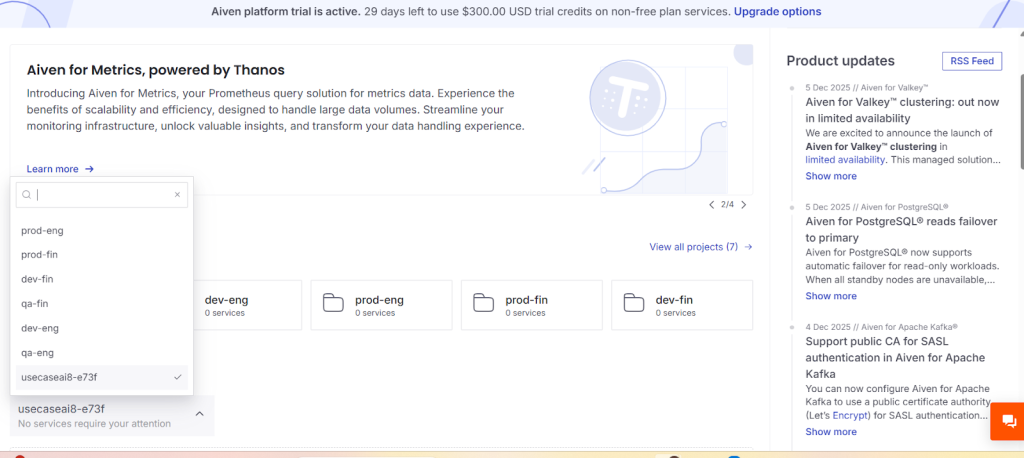
Under Organisations, I have created 6 organisations and under Services, one service was created in the aws ap south-1 region (Premium-4 plan).
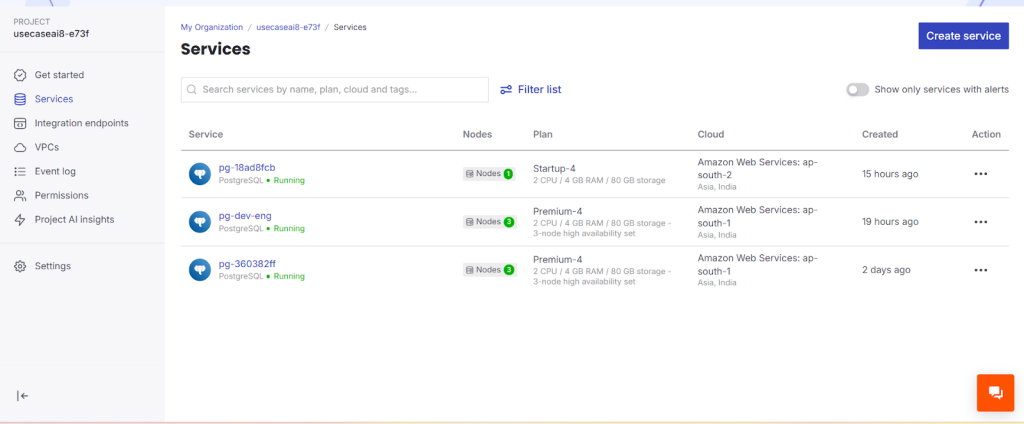
10. Practical Example for OLTP and HTAP and Cross region disaster recovery :
Here a Postgresql service is being created using a Premium plan on aws cloud in the region ap-south-1.
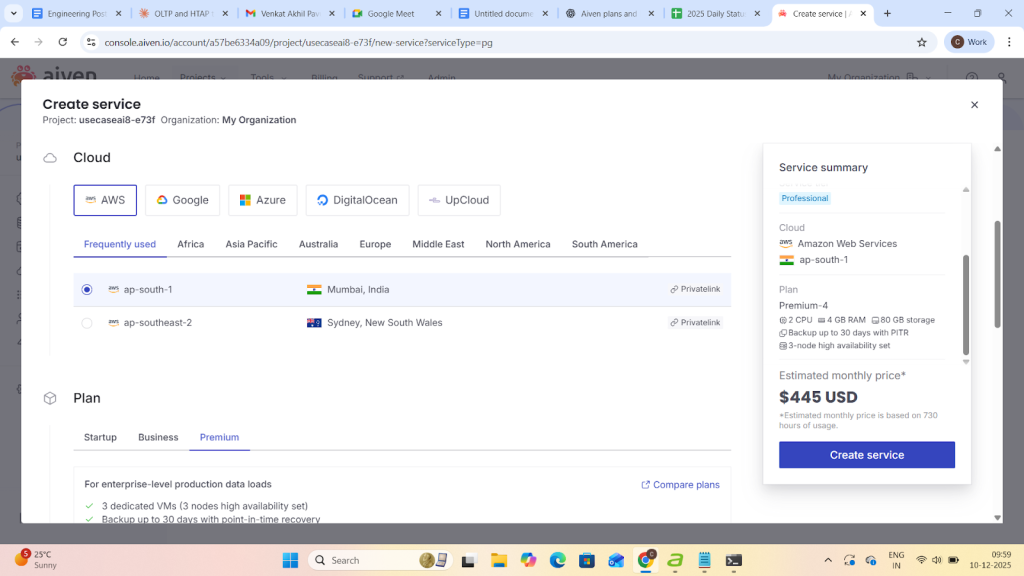
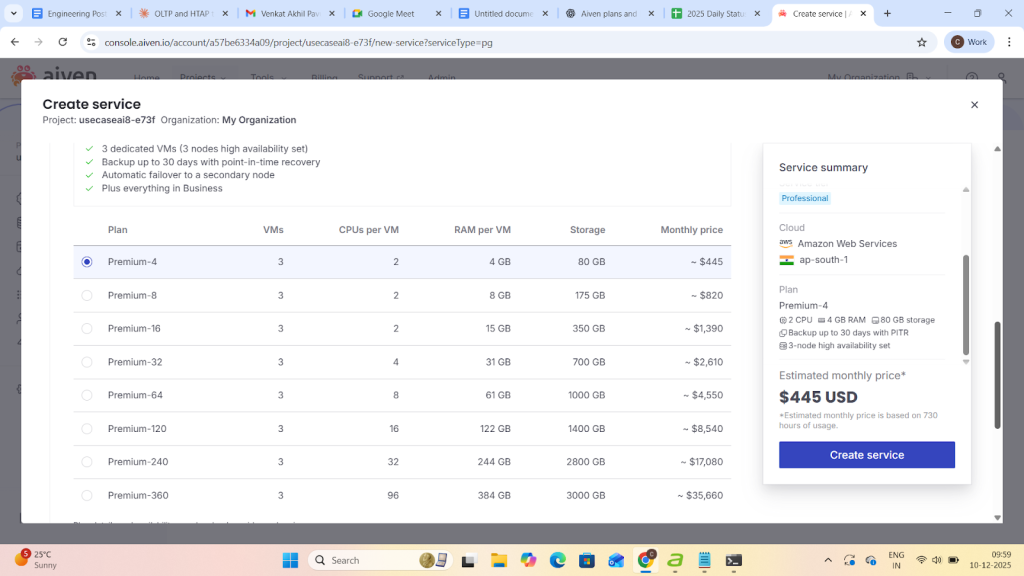
- After clicking on create service it takes 4-5min to build a service with replica uri and Primary service url
Cross-Region DR replication lag Testing:Aiven provides an option promote to replica
For disaster recover.
- Promote a read replica in another region to primary.
Measure replication lag with:
Now create a replica with another region:
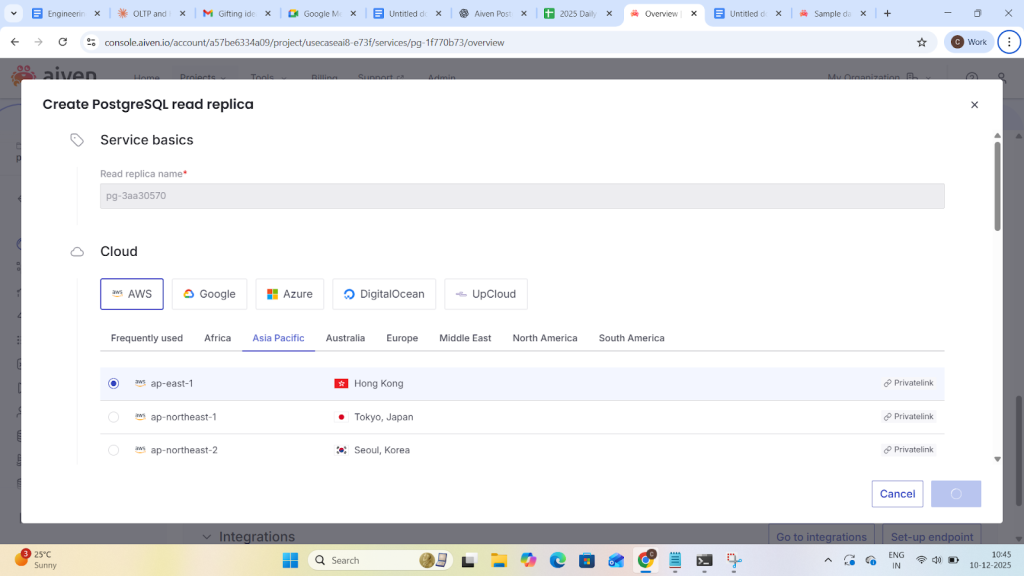
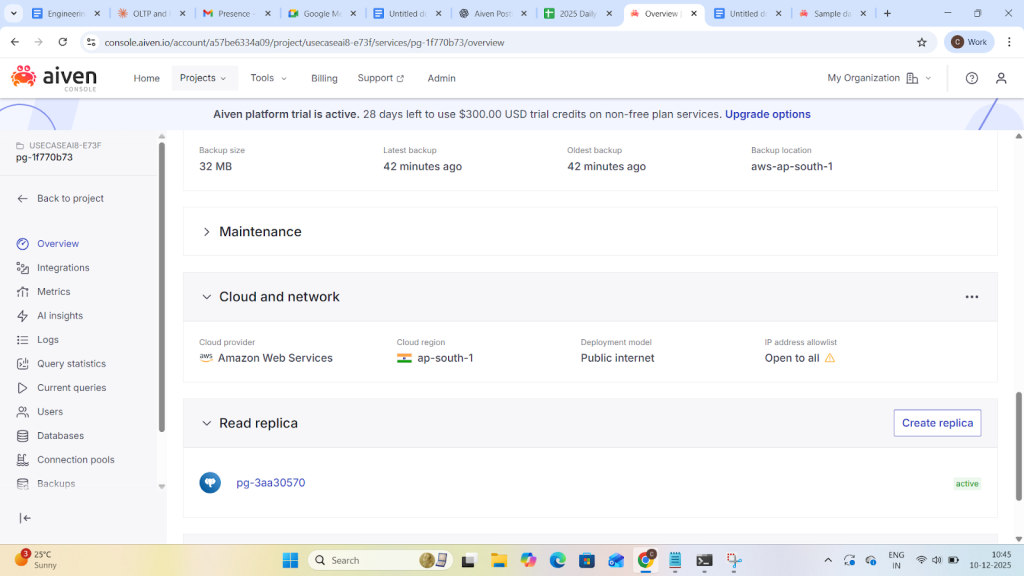
Now check the replication lag on primary
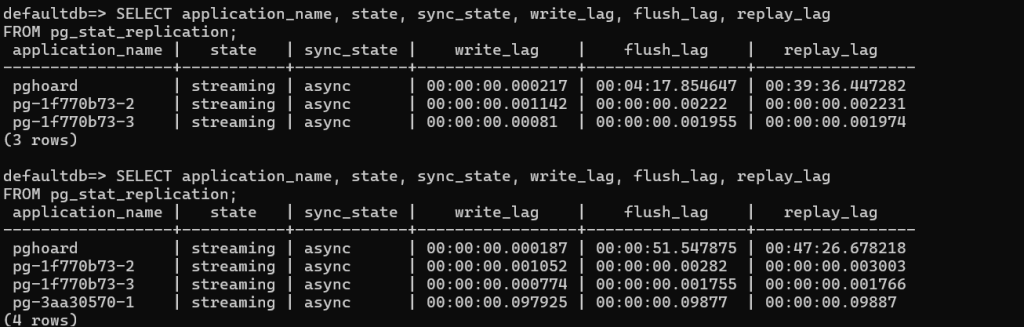
Analysis
- pghoard
Flush lag = 4+ minutes, Replay lag = 39+ minutes → it’s very far behind.
This means WALs are delayed significantly for this replication/backup target. - pg-1f770b73-2 & pg-1f770b73-3
Minimal write, flush, and replay lag → replicas are almost fully caught up.
Good for near real-time failover. - pg-3aa30570-1
Slight lag (~0.1s), which is normal in async replication.
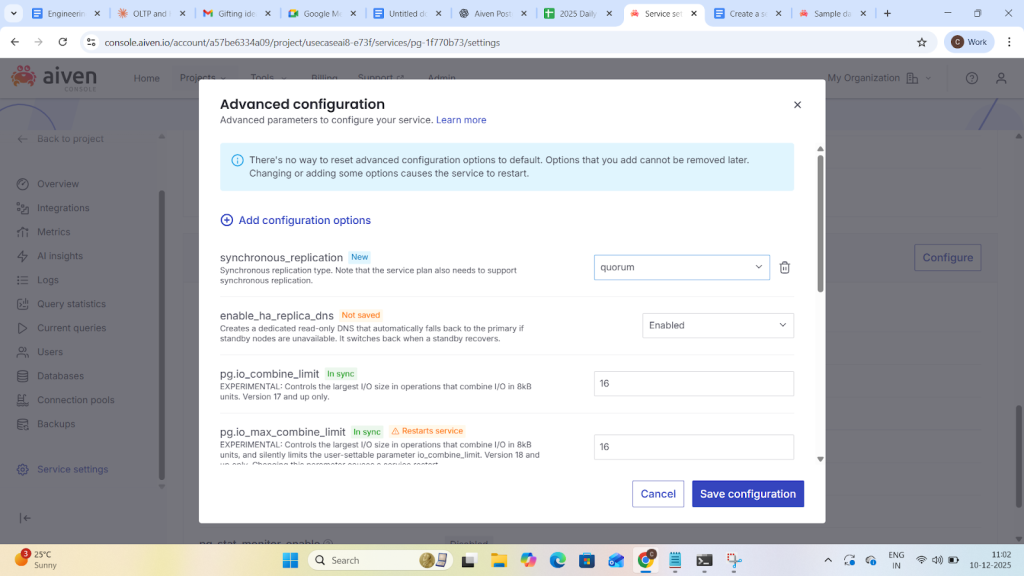
- Now crdr lag in synchronous replication go to service settings and add enable ha(high availability) and synchronous option to change asynchronous to synchronous replication.
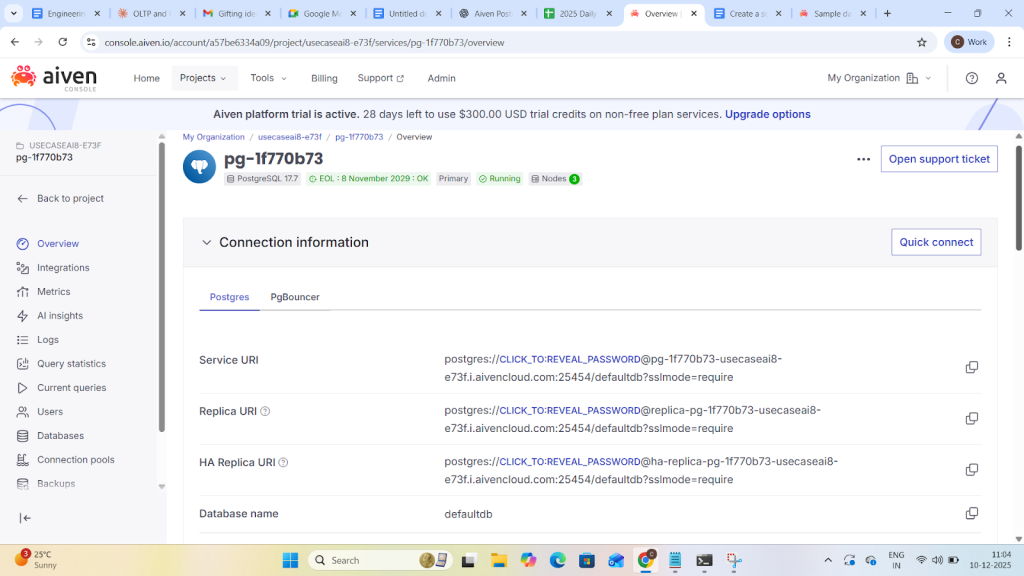
Now observe aiven provide HA uri to enable HA whenever primary falls we have all the info in HA:

Observations:
- State: All replicas are streaming, meaning they are connected and receiving WAL data.
- Sync_state:async means the primary does not wait for this replica to confirm WAL before committing.
quorum means the primary waits for a majority of synchronous replicas to acknowledge WAL before committing. - Lag values:
write_lag: Time for WAL to reach the replica’s memory,flush_lag: Time to write WAL to disk on the replica and replay_lag: Time to replay WAL on the replica - Note:
pghoard has a very high replay_lag (~1 hour), meaning it’s far behind in applying WAL.
The quorum replicas have extremely low lag (milliseconds), which is expected for synchronous replicas.
(i)HTAP wORKLOAD
1.Now create a pg_bench db and 1,000,000 rows in pgbench_accounts
All pgbench tables, createDatabase ready for benchmarking.
2.Create a file in os server nano htap_mixed.sql


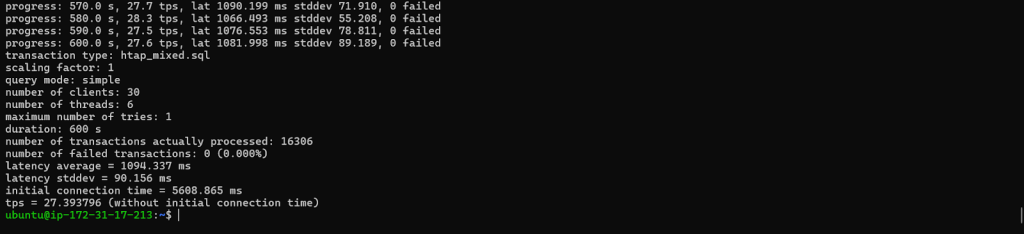
- progress: 10.0 s → Time elapsed since the benchmark started (in seconds).
- 9.6 tps → Transactions per second during the last 10-second interval.
- TPS is your throughput metric; higher is better.
- lat 1279.053 ms → Average latency of transactions in milliseconds.
- Lower latency is better for OLTP workloads.
- stddev 236.209 → Standard deviation of latency; measures variability.
- Lower values → more consistent performance.
- 0 failed → Number of failed transactions.
- Ideally always 0; if greater than 0 → something went wrong.
.pgbench -c 30 -j 6 -T 600 -f htap_mixed.sql -P 10 \”postgres://avnadmin:AVNS_KV74ni0GfYDtmGMBfNF@pg-1f770b73-usecaseai8-e73f.i.aivencloud.com:25454/pgbench_test?sslmode=require”
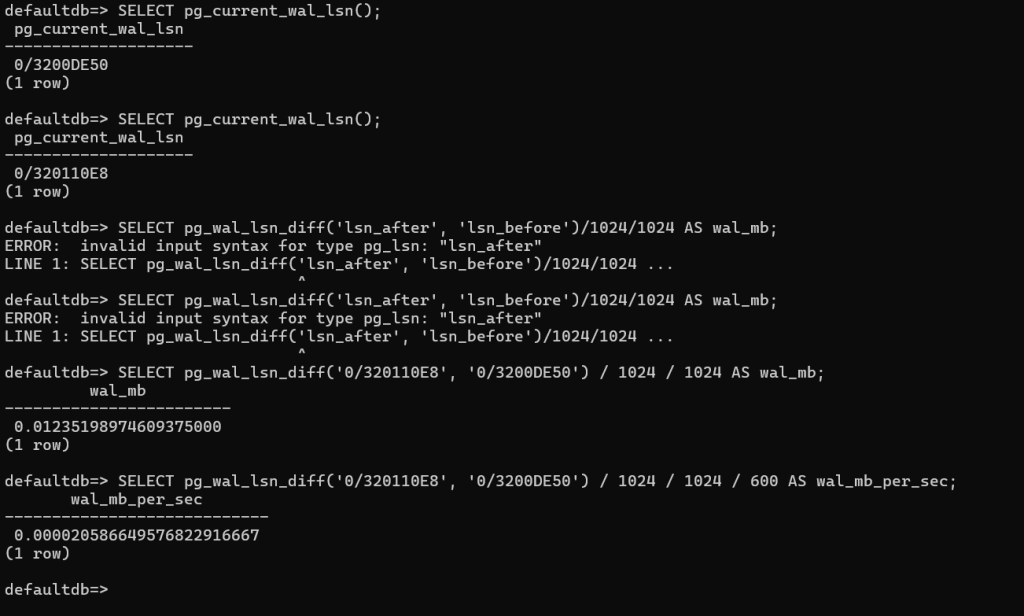
…which means about 0.2 MB of WAL was written during your workload.
SELECT pg_wal_lsn_diff(‘0/320110E8’, ‘0/3200DE50’) / 1024 / 1024 / 600 AS wal_mb_per_sec;
0/320110E8, 0/3200DE50
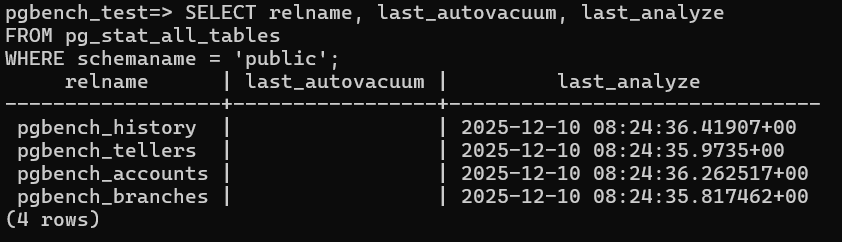
Checking Auto vaccum Parameters on pgbench:
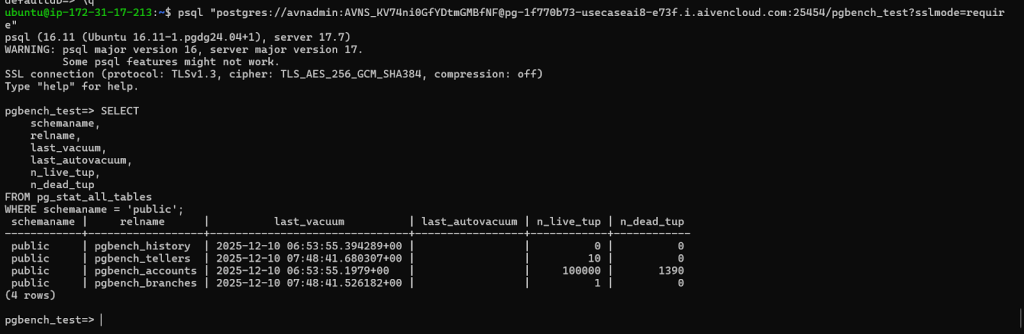
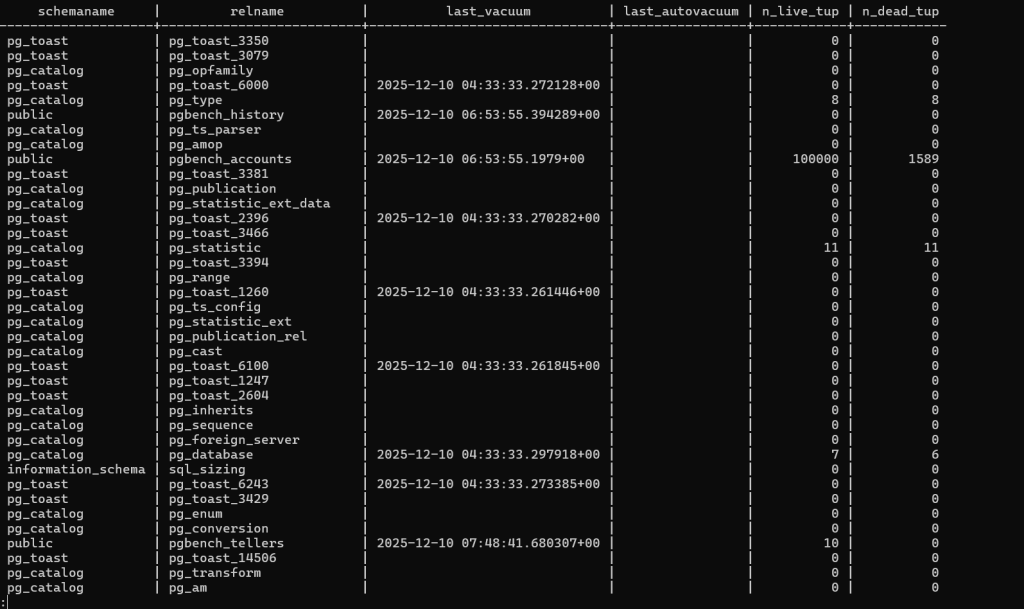
- pgbench_accounts has the largest number of rows and the only notable dead tuples — exactly what we expect under a typical pgbench HTAP workload.
- No autovacuum has run yet (last_autovacuum is empty), which means dead tuples may start accumulating further during your test.
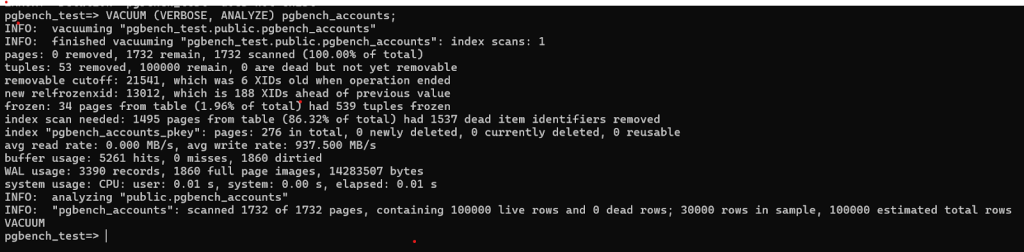
Pages Scanned: 1 index scan; 1732 total pages scanned.
- Tuples:53 tuples removed,100,000 tuples remain,0 dead tuples yet removable.
- Removable Cutoff: 21,541 (6 XIDs old at operation end),RelFrozenXID: 13,012 (188 XIDs ahead of previous).
- Frozen Pages: 34 pages (1.96% of total); 539 tuples frozen,Index Scan Needed: 1495 pages, 1537 dead item identifiers removed.
- Primary Key Index (pgbench_accounts_pkey):Total pages: 276,deleted: 0,Currently deleted: 0,Reusable: 0,Performance Metrics:,Avg read rate: 0.000 MB/s,Avg write rate: 937.5 MB/s,Buffer usage: 5261 hits, 0 misses, 1860 dirtied,WAL (Write-Ahead Logging) Usage:3390 records,1860 full page images,14,283,507 bytes
- System Usage:CPU: user 0.01s, system 0.00s Elapsed: 0.01s
- Analyze Output:Scanned 1732 pages Contains 100,000 live rows and 0 dead rows 30,000 rows sampled
- Estimated total rows: 100,000
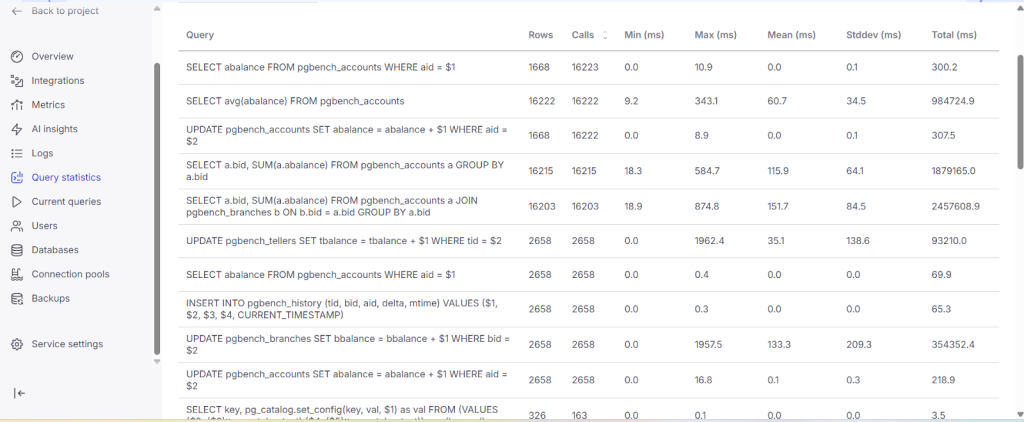
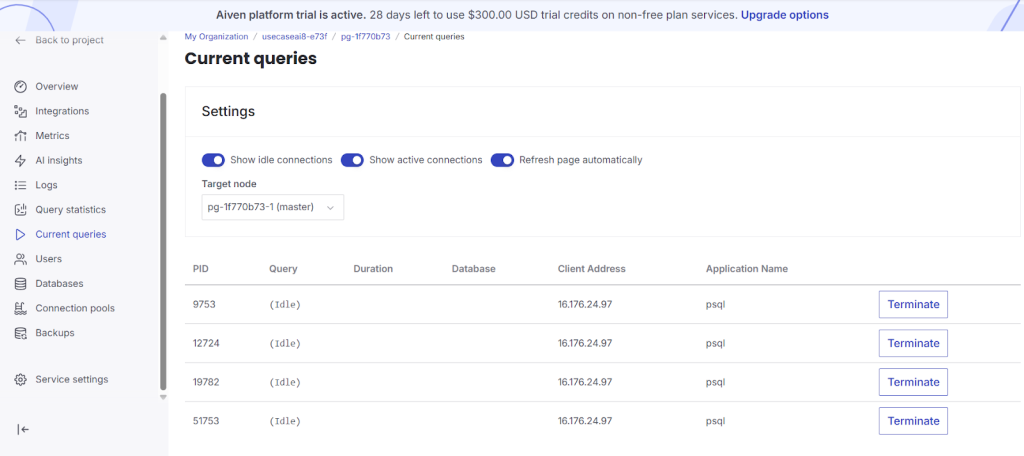
(ii)OLTP:
- Run a script oltp.sql and run pgbench for oltp:

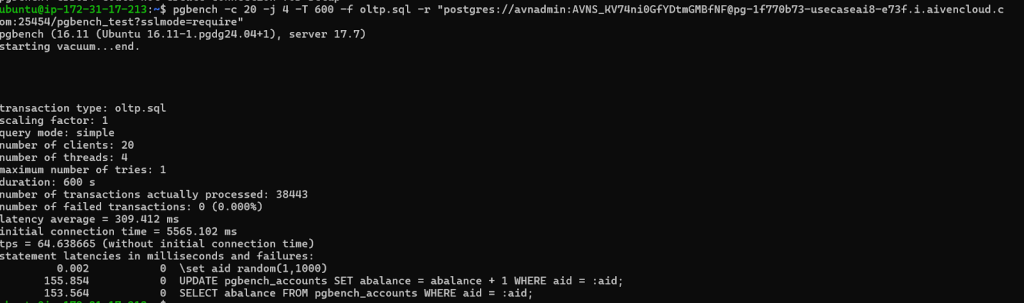
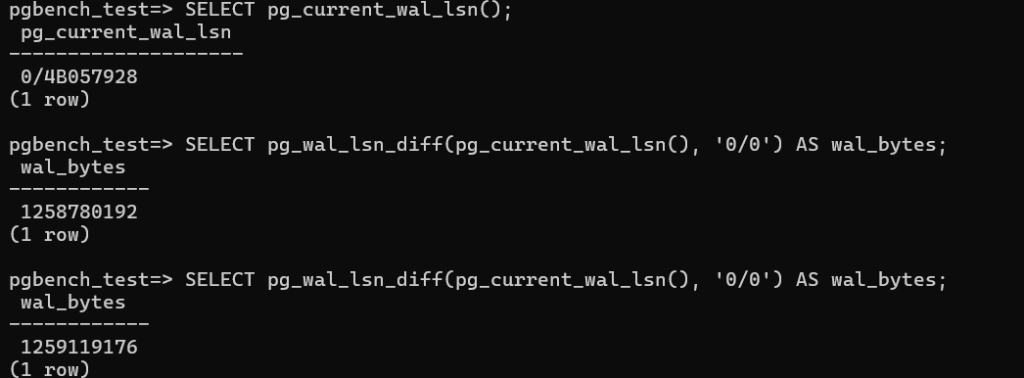
- Walthroughput:This shows WAL growth over the interval (likely a few seconds or minutes).
1259119176 – 1258780192 = 338984 bytes (~0.32 MB)
- Show Autovaccum Parameters:
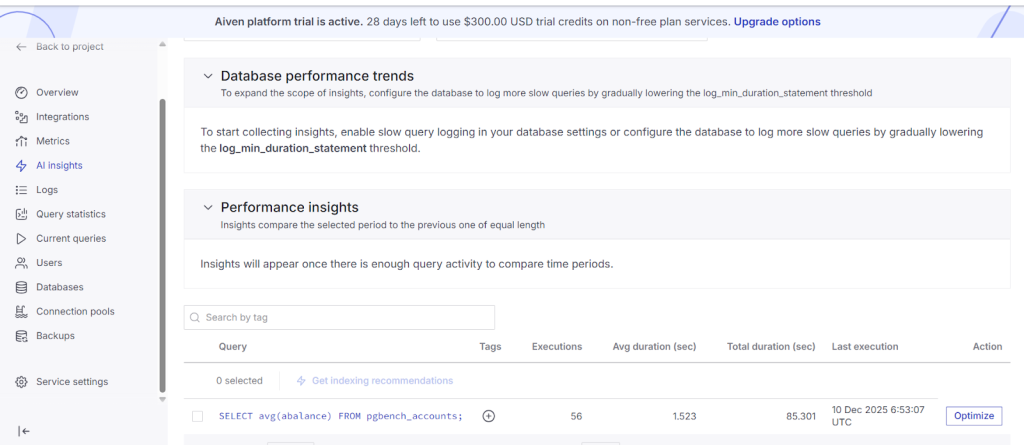
- While running oltp workload observe query statistics and current queries are loading with data.
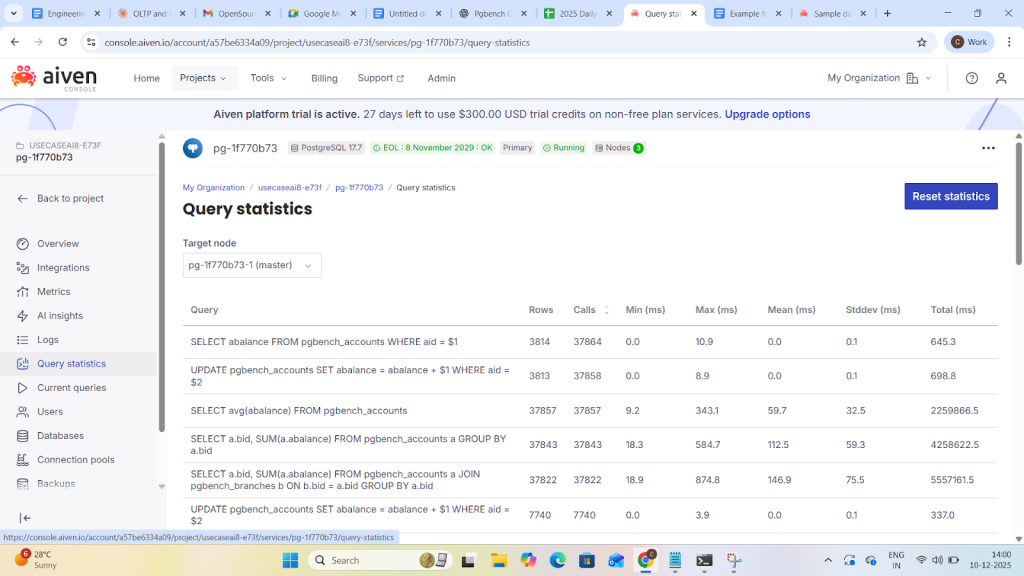
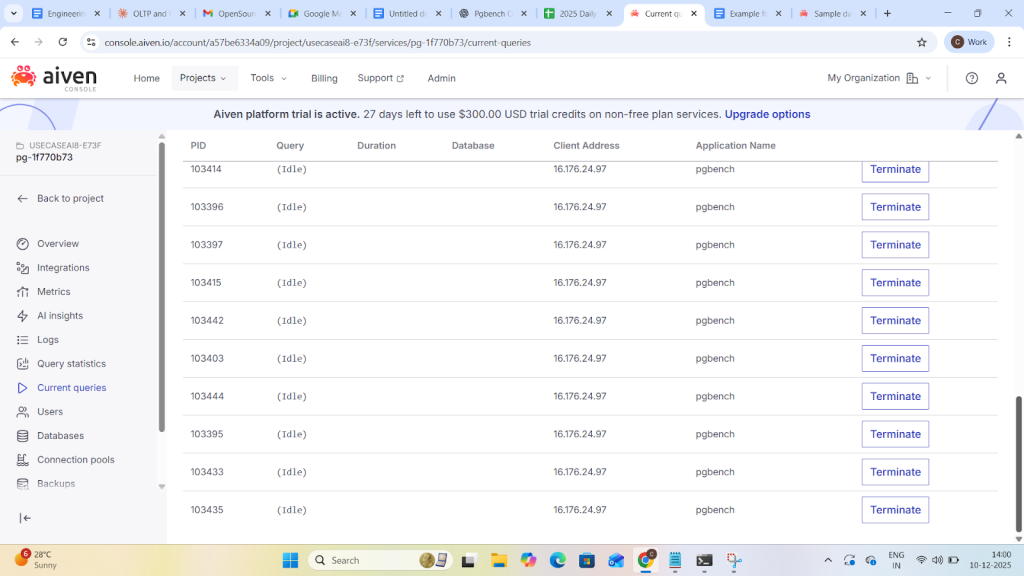
The current queries and Ai insights analytics will be shown detail in blog-3 through click house Integration.